
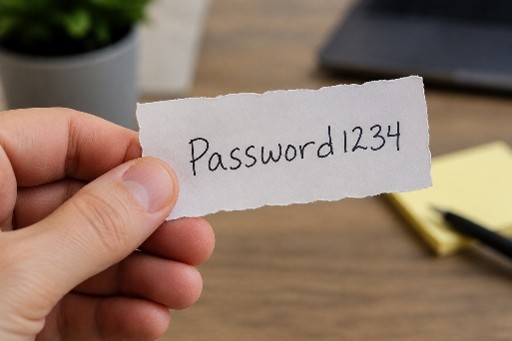
Most businesses understand the importance of locking their doors at night. Yet many still protect critical systems, financial accounts, and sensitive data with weak, reused, or poorly managed passwords.
Passwords remain one of the most common entry points for cybercriminals. A single compromised password can provide access to email, financial systems, cloud applications, customer information, and company networks. Unfortunately, many businesses continue to rely on methods that create unnecessary risk.
The Password Problem
The average employee uses dozens of online accounts. To manage this, people often:
- Reuse the same password across multiple sites
- Create simple passwords that are easy to remember
- Store passwords in spreadsheets or documents
- Write passwords on sticky notes
- Share passwords through email or text messages
While these habits may seem convenient, they create opportunities for attackers.
If one website suffers a data breach and an employee has reused that password elsewhere, cybercriminals often attempt those same credentials on other systems. This tactic, known as credential stuffing, remains one of the most successful methods of unauthorized access.
Why Google Chrome Isn’t Enough
Many people assume that saving passwords in Google Chrome solves the problem. While Chrome’s password storage is certainly more convenient than sticky notes or spreadsheets, it was never designed to be a complete business password management solution.
Here are a few reasons why:
- Limited Administrative Controls
Businesses need visibility and control over company credentials. Chrome was designed for individual users, not organizations. It offers limited capabilities for managing passwords across teams, enforcing security policies, or maintaining oversight when employees join or leave the company.
- Password Sharing Risks
Employees frequently need to share access to business accounts. With browser-stored passwords, sharing often means revealing the actual password. This makes it difficult to control who has access and nearly impossible to revoke access without changing passwords for everyone.
- Lack of Centralized Management
Businesses need a secure way to manage company-owned credentials. Browser-based password storage scatters passwords across individual devices and user profiles, making administration more difficult.
- Device and Account Dependency
If an employee leaves the organization, company passwords may remain tied to their personal browser profile or Google account. Recovering and securing those credentials can become challenging.
- Increased Exposure During Device Compromise
If a device becomes infected with malware or an attacker gains access to a user’s profile, saved browser credentials may become vulnerable. Cybercriminals frequently target browser-stored passwords because they know many users rely on them.
What a Business Password Manager Does Differently
A dedicated password manager is designed specifically to address these challenges.
Modern password managers allow businesses to:
- Generate strong, unique passwords automatically
- Store passwords in an encrypted vault
- Securely share credentials without exposing the password itself
- Control who has access to specific accounts
- Remove access immediately when employees leave
- Monitor password health and identify weak or reused passwords
- Support multi-factor authentication (MFA)
- Reduce the temptation to reuse passwords
Perhaps most importantly, a password manager helps employees follow good security practices without creating additional work.
Password Managers Are Just One Piece of Cybersecurity
While a password manager significantly improves security, it is not a complete cybersecurity solution.
Today’s threat landscape requires multiple layers of protection working together. Businesses should also consider:
- Multi-factor authentication (MFA)
- Endpoint protection
- Email security and phishing protection
- Employee cybersecurity awareness training
- Secure remote access
- Data backup and disaster recovery planning
- Security monitoring and risk assessments
Cybersecurity works best when these protections complement one another rather than relying on a single tool or technology.
Building a Stronger Security Foundation
At SelecTech, we help businesses evaluate and implement practical cybersecurity solutions that fit their needs, including password management platforms such as Keeper. More importantly, we help organizations understand how password management fits into a broader cybersecurity strategy designed to protect their people, systems, and data.
Because when it comes to cybersecurity, no single tool provides complete protection but the right combination of tools, processes, and expertise can make a significant difference.